
Stop-losses from your own wallet
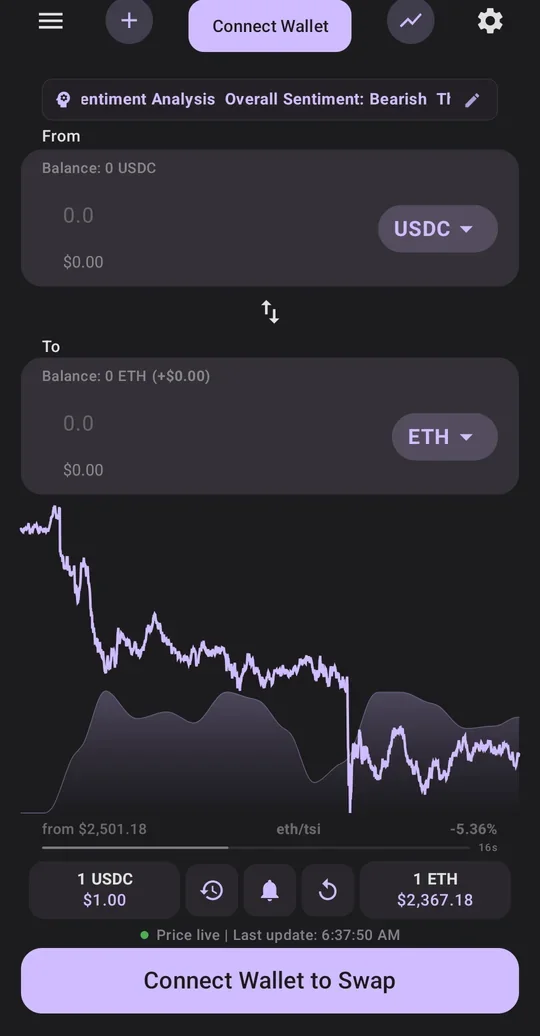
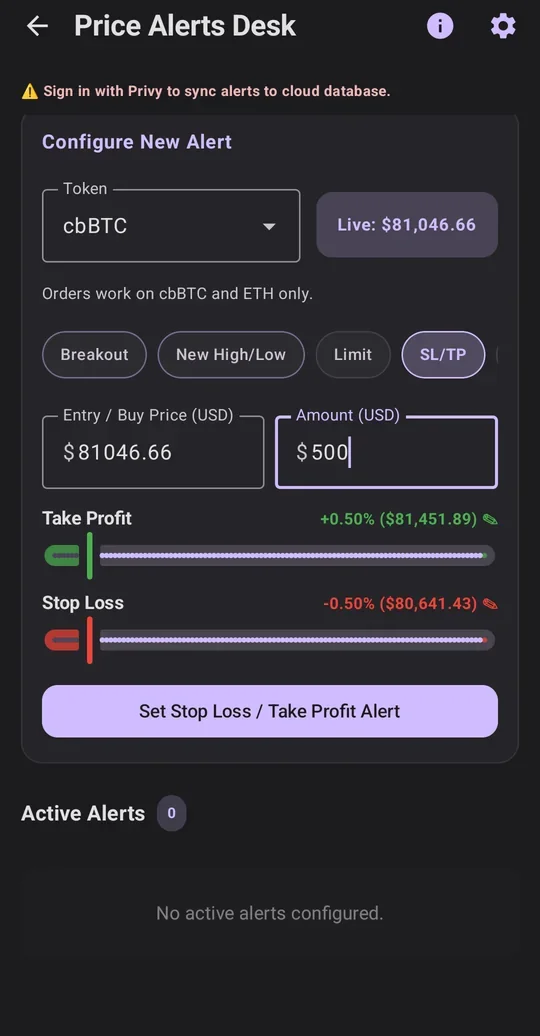
Set a stop-loss, take-profit or limit order on BTC or ETH. Our server watches the price day and night, and your phone signs the trade when it's on.
A level map for your stops Pro
See support, resistance and how far the price usually moves in a day, plus where a stop belongs. Set that stop in one tap.
A safety check on every swap
Before your phone signs, our server checks the swap quote. It can spend only the coin and amount you chose; if it asks for more, there's nothing to sign.
We never hold your key
Sign in with Google. Privy, a wallet provider, sets up your wallet with no seed phrase. You can send your coins to any wallet, any time.
How stops work
- Our server checks your stop-losses, take-profits and limits about every 25 seconds.
- When one is hit, your phone gets an alert and signs the swap from your wallet, as long as it's online and you're signed in. Tap Stop swap on the alert to cancel before the trade is sent.
- Phone off? Nothing trades, and that stop is used up, so set it again. An alert that arrives more than 2 minutes late is skipped, so a stop can't sell long after it fired.
Fees and Pro
- Swaps and sends, with a safety check on every swap
- Up to 3 saved alerts or orders, stop-losses included
- Charts, home-screen widgets and a tax export
- Up to 50 alerts and orders at once
- The level map: support, resistance and a typical day's move, with a one-tap stop under support
- AI chat that sets alerts and proposes orders for you to approve, 30 questions a day
- AI analysis of candle charts, plus a news digest
On both plans, SwapWidget takes 0.2% of each swap, 0x (the swap service behind every trade) takes about 0.15%, and the Base network fee is a few cents. The swap screen shows each fee before you confirm; widget buttons and stops pay the same fees without showing them.
Getting started
- Sign in with Google. Your wallet is set up for you.
- Fund it. Send ETH, cbBTC or USDC from Coinbase or any wallet, and pick Base as the network. Keep a little ETH: every swap, stops included, pays a few cents in network fees.
- Set a stop. Put a stop-loss on your BTC or ETH. With Pro, the level map shows where a stop belongs.